ArsenTech's ClamAV GUI version 1.0.3 is a minimal, open-source interface for file scanning and threat detection that makes the Antivirus itself look professional and work exactly like ClamAV (A FOSS CLI Antivirus).
This software is provided as-is. No data is collected or transmitted. This GUI uses ClamAV's clamscan and freshclam engines. Scan types are presets that define which locations and which limits are used.
ClamAV is a trademark of Cisco Systems, Inc. This project is an independent, open-source GUI and is not affiliated with or endorsed by Cisco.
- Processor:
- AMD Ryzen, Threadripper, or Epyc
- Intel Core (9th generation and newer) i3, i5, i7, i9, Ultra or equivalent Xeon
- Apple Silicon M1 and newer
- Minimum System Memory: 16 GB for the ClamAV GUI app
- System storage: ~15MB for the ClamAV GUI app
- Display resolution: 1280x960 minimum, proportionately higher with display scaling.
- Windows 10+ / Linux / macOS
- ClamAV Engine to make the ClamAV GUI work
Download the latest version of ClamAV GUI from the Repo's Releases section
Launch a Command Prompt Window and use the certutil command to verify the download:
cd Downloads
certUtil -hashfile <filename> SHA256
Tip
Alternatively, you may use free third-party apps 7-Zip Compute Hash, ExactFile, and MultiHasher for a GUI-based checksum
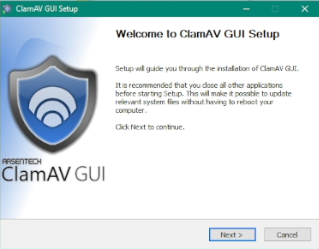
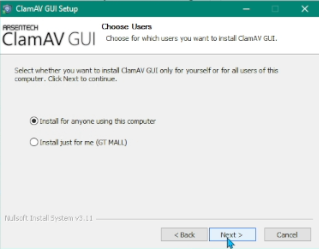
Once you've downloaded the ClamAV GUI installer, double click on it. Next, the setup provides whether you want to install the GUI
- For anyone using the PC
- For only the current user
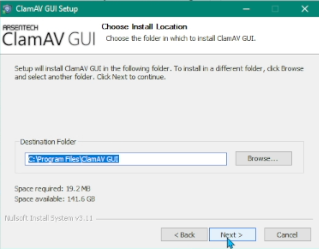
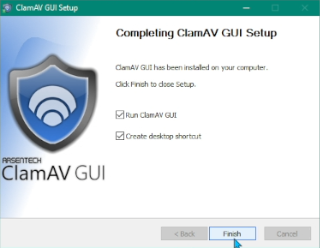
Next, the installer will ask you where you wish to install the GUI. Unless you have a specific reason to change this setting, select Next to install the GUI with these initial settings. Once it's complete, select Finish to exit the installer.
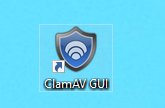
You'll find shortcuts placed on both the Desktop and Start Menu, so launch the GUI by double clicking on the Blue Shield icon.
GitHub @ArsenTech · YouTube @ArsenTech · Patreon ArsenTech · ArsenTech's Website